Windows diagnostic guidance for technicians

Stop guessing what Windows is trying to tell you.

TechRescueAI helps technicians collect diagnostic evidence, interpret likely causes, compare repair attempts, add field observations, and move through the next safest step with clarity and control.

Windows gives you symptoms. TechRescueAI helps turn them into a repair path.

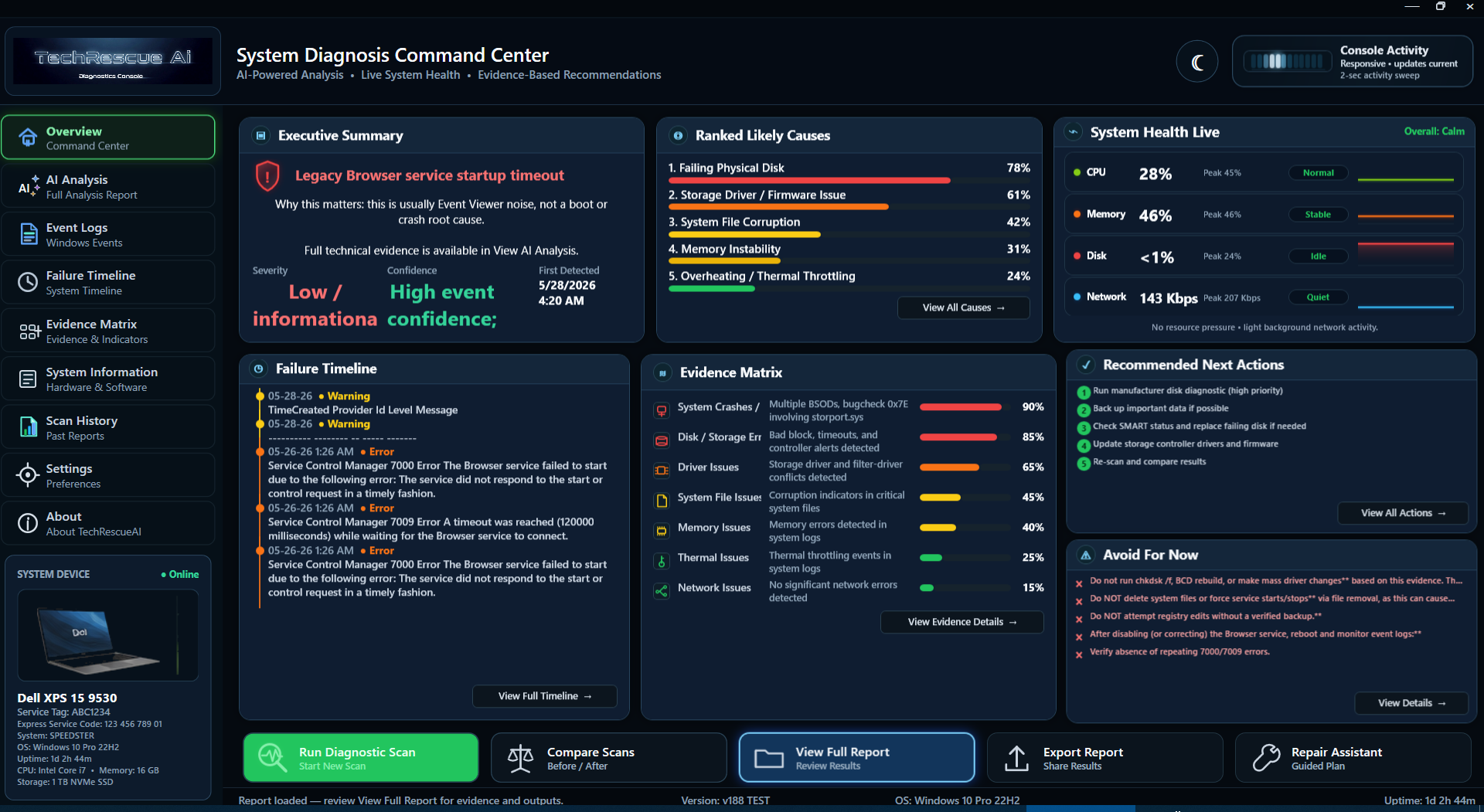
TechRescueAI Overview command center screenshot

Overview dashboard — start from a clear command center.

Draft explainer video

See the TechRescueAI workflow.

This draft video shows the intended technician workflow: scan, interpret, compare, add observations, receive next-step guidance, and approve completion. Final visuals will evolve as the interface matures.

The technician problem

Windows problems rarely explain themselves.

Blue screens, driver failures, service errors, update problems, boot issues, and Event Viewer noise can leave technicians piecing together clues from scattered places. TechRescueAI is being built to bring those signals into one guided workflow.

Workflow

A clearer repair path from first scan to final decision.

01

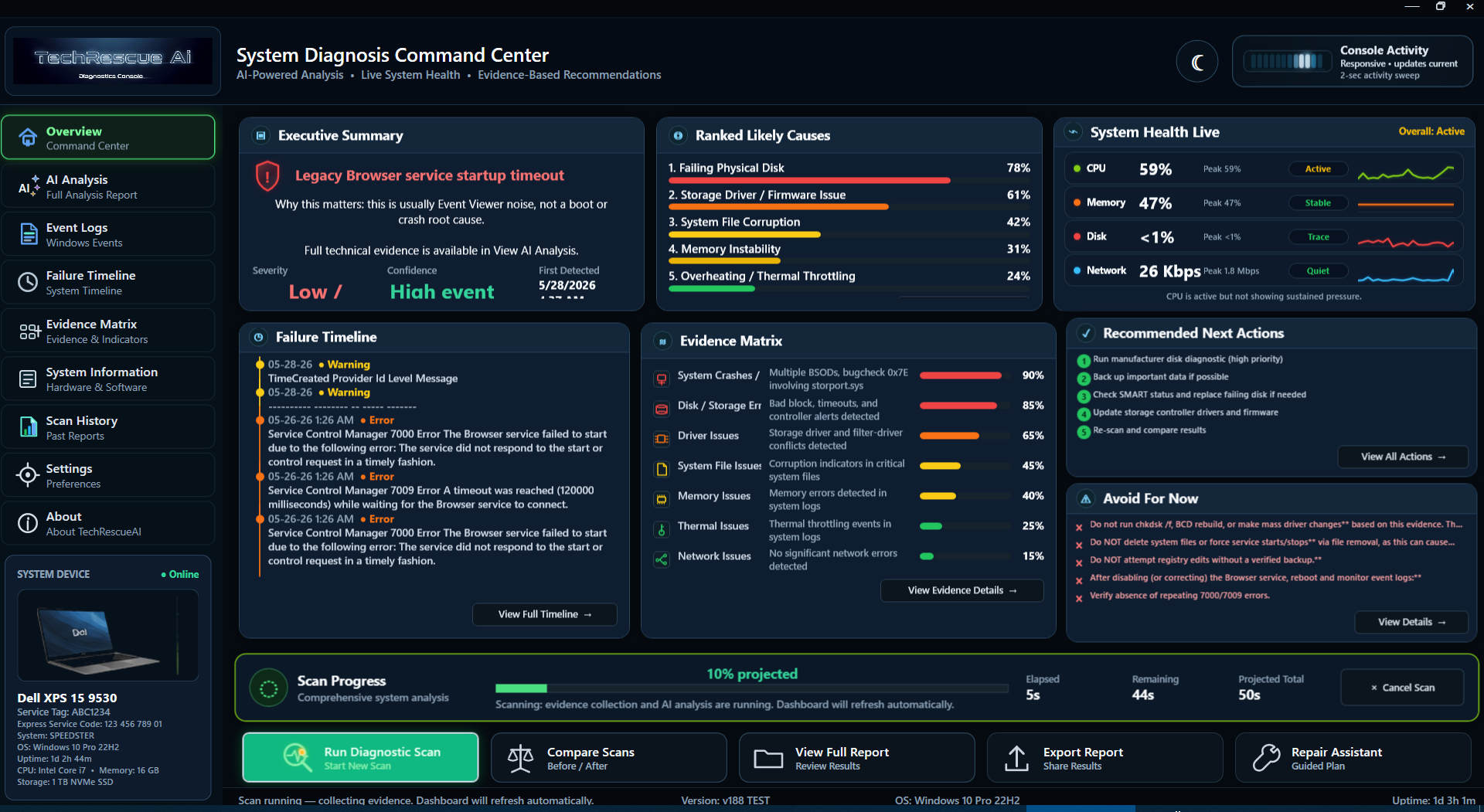
Run the diagnostic scan

Collect Windows evidence from logs, drivers, services, boot clues, update clues, crash-related signals, and other repair-relevant system information. Scan progress stays visible while evidence collection is active.
Scan running and collecting evidence
02

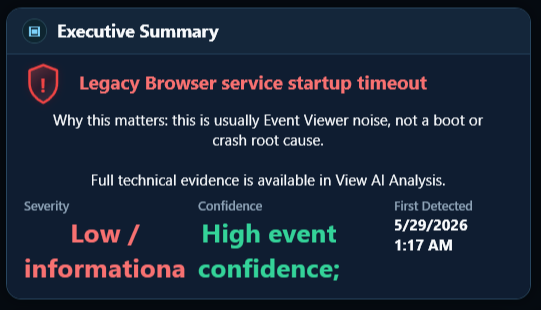
Review plain-English findings

Start with a concise summary before opening the full analysis.
Executive Summary crop
03

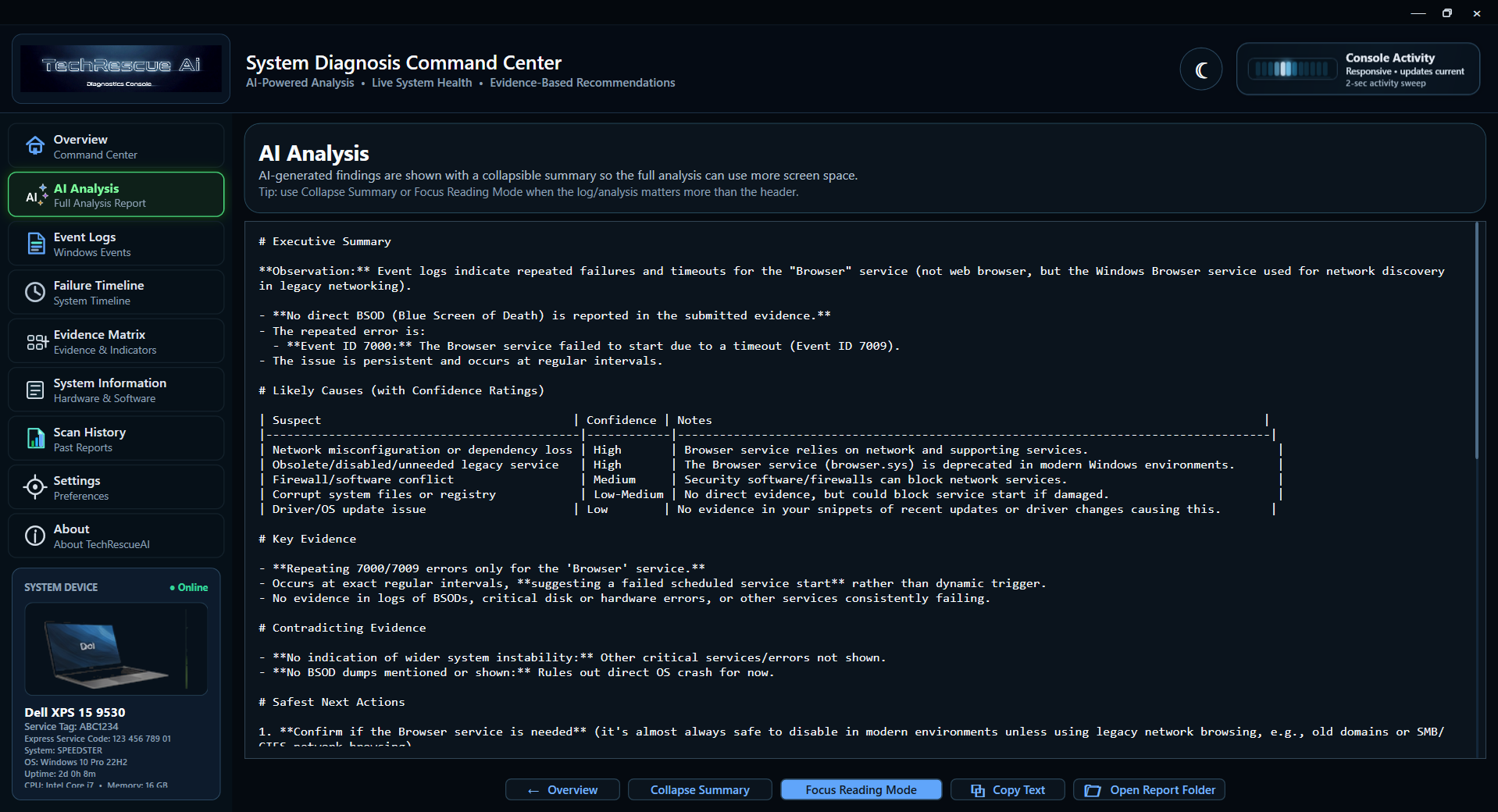
Raw logs become repair guidance

TechRescueAI organizes evidence into likely causes, confidence, key evidence, and safer next actions.
AI Analysis tab screenshot
04

Compare before and after

Compare a baseline report against a follow-up report to see what changed, what remains, and what is still uncertain.
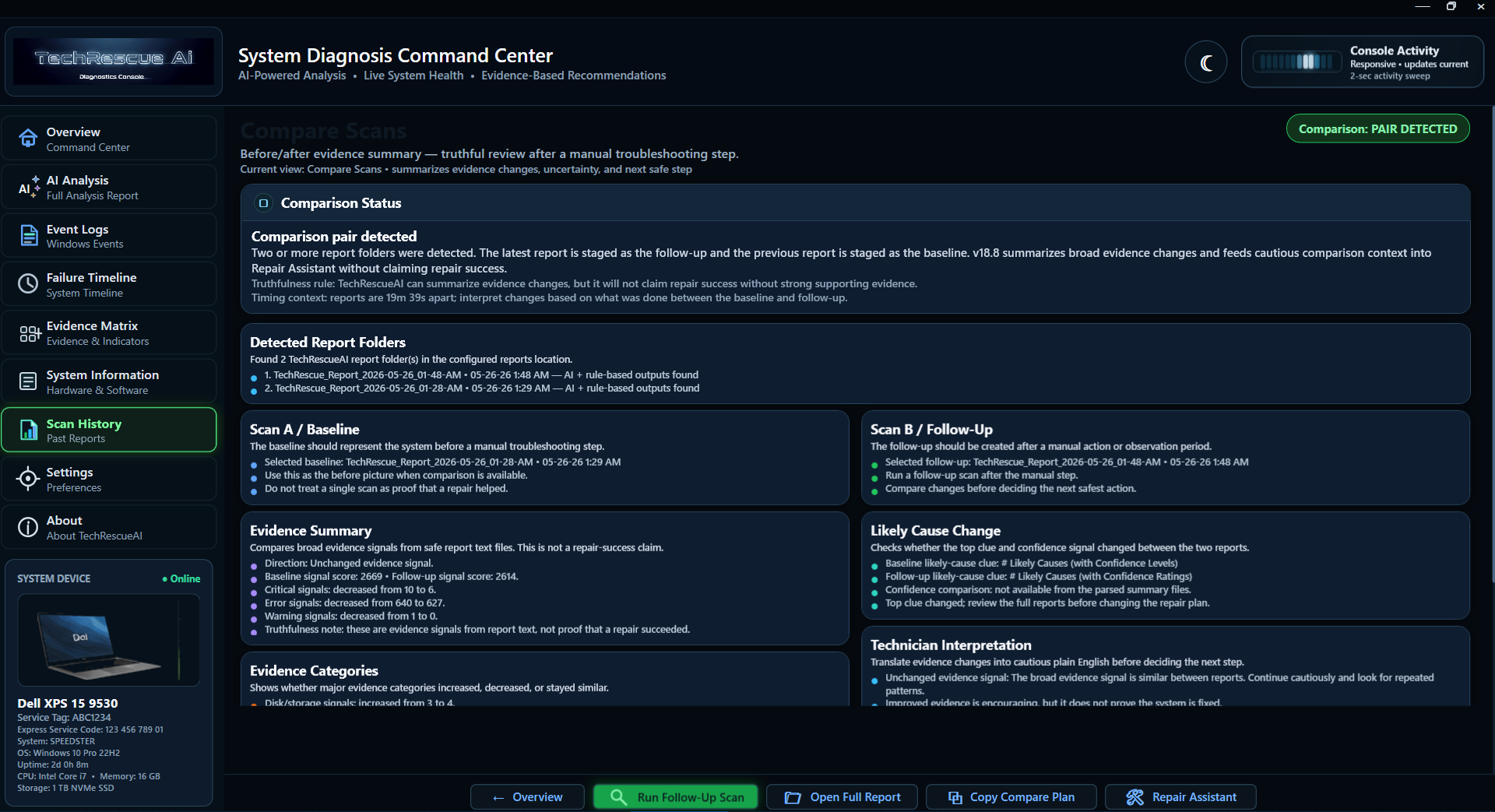
Compare Scans screenshot
05

Plan the next safest repair step

Repair Assistant keeps guidance safety-gated and technician-controlled.
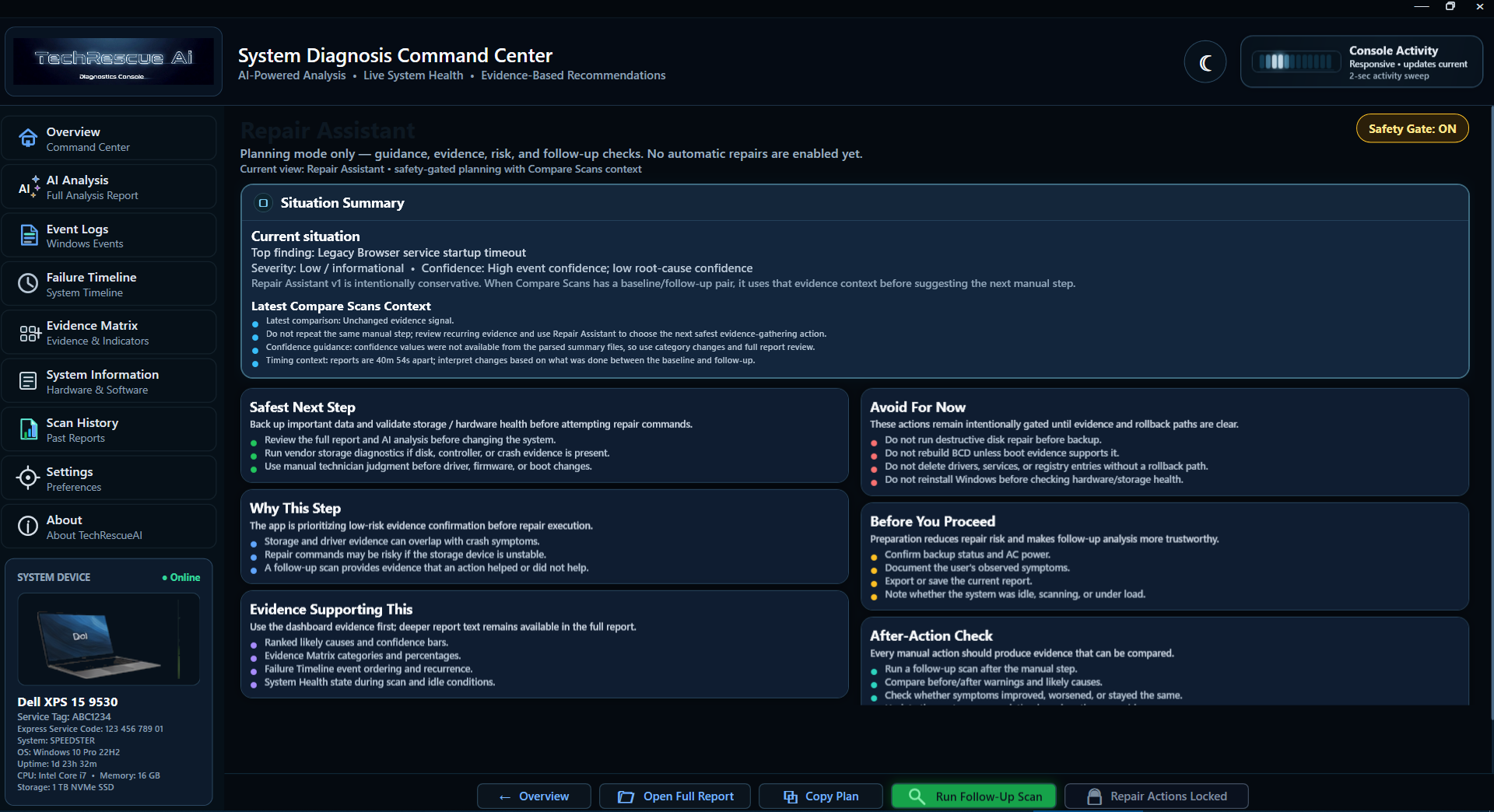
Repair Assistant with Safety Gate ON
06

Future workflow concept

Technician observations matter

Add field notes such as noises, sleep/wake behavior, intermittent timing, physical symptoms, or repair results that scans cannot detect alone.
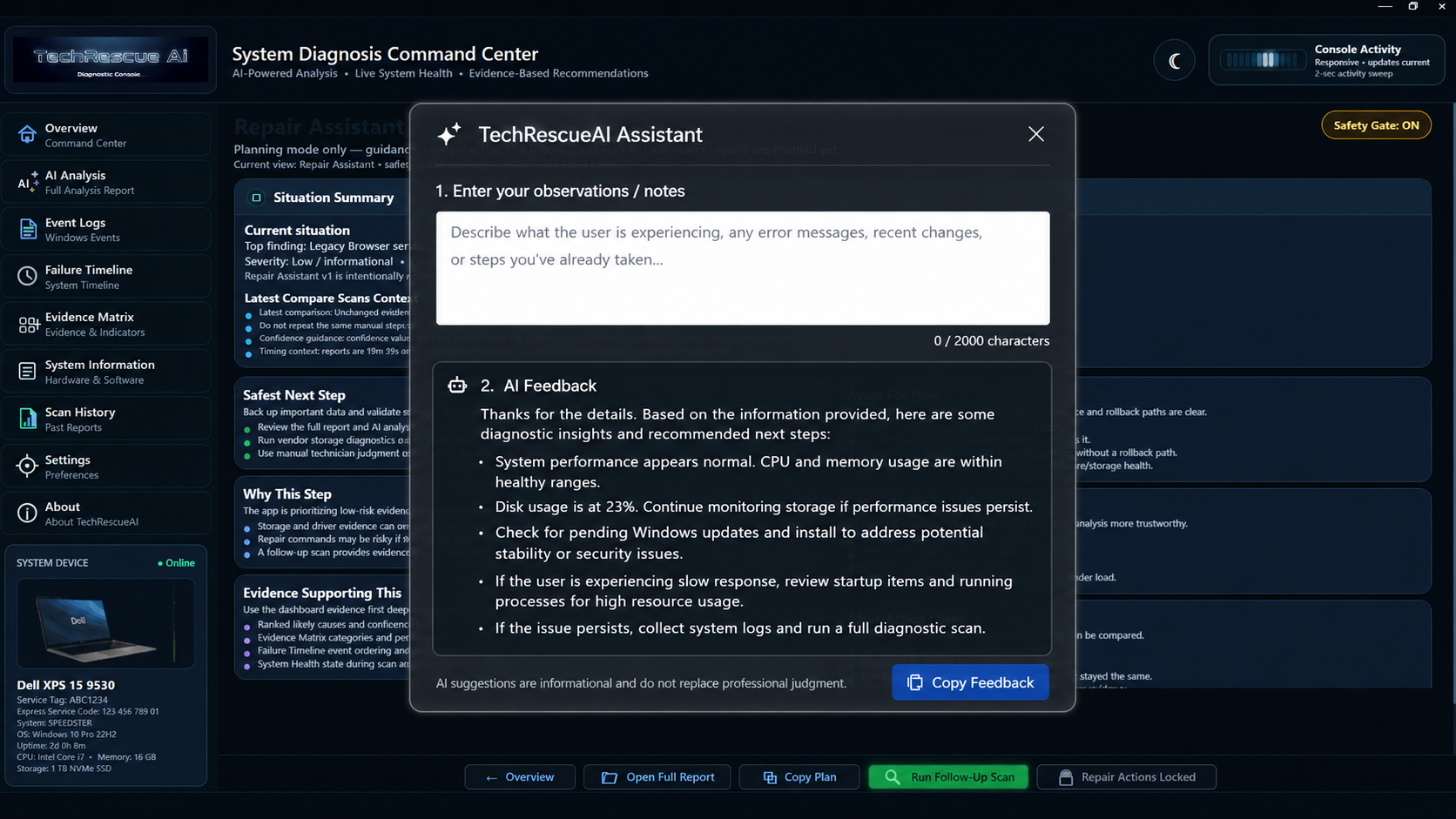
AI Assistant observation panel concept
07

Future workflow concept

Technician approves completion

TechRescueAI can present evidence that supports stability, but the technician decides whether the repair is complete.
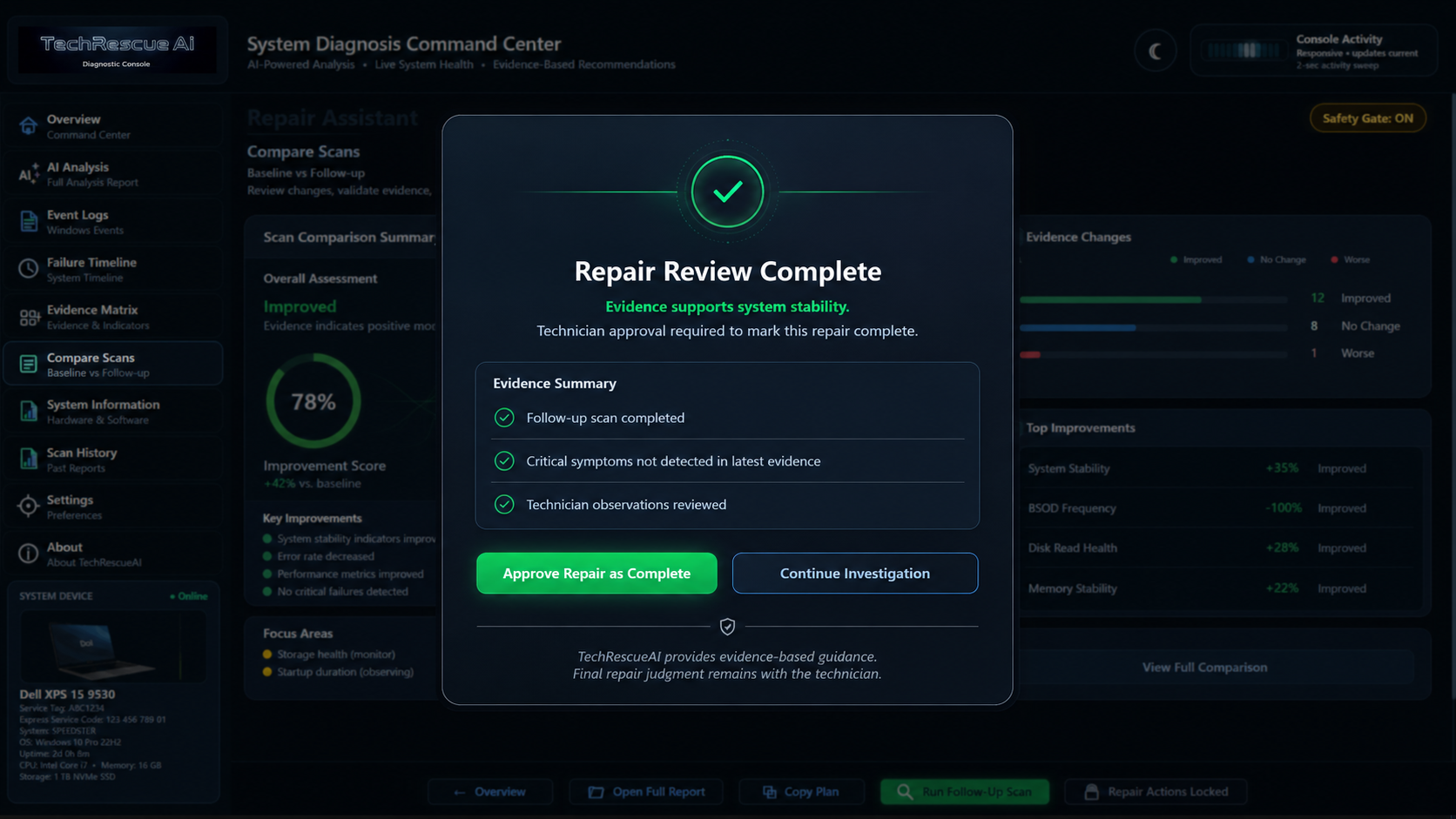

Technician approved repair completion concept

Key differentiators

Built around the way technicians actually troubleshoot.

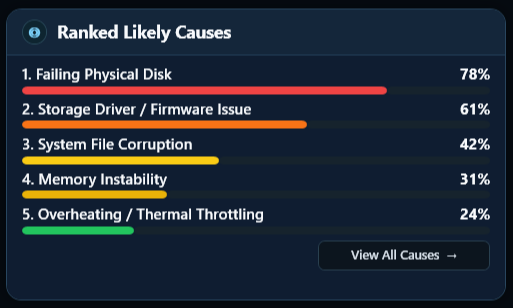
Ranked Likely Causes crop

Prioritize likely causes

Focus on what matters first instead of treating every warning as equally important.

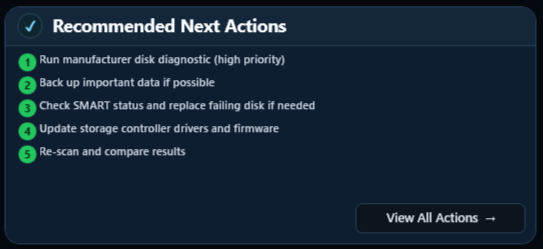
Recommended Next Actions crop

Know the next step

Recommended next actions turn findings into a practical repair path.

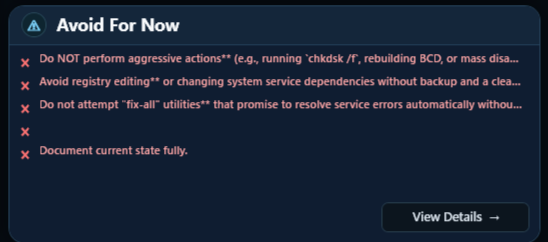
Avoid For Now crop

Avoid risky actions too soon

Avoid For Now warnings help prevent premature changes when the evidence does not yet support them.

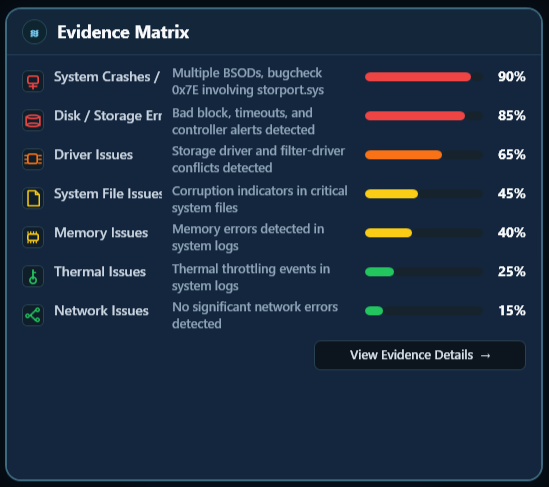
Evidence Matrix crop

See the evidence behind the guidance

The Evidence Matrix organizes diagnostic signals by category and confidence.

Safety and control

The technician stays in control.

TechRescueAI is designed to provide evidence-based repair guidance, not blindly auto-repair systems. Repair actions should be approval-required, safety-gated, explainable, and based on the evidence available.

Evidence guides the decision. The technician approves completion.

Repair Assistant safety-gated repair planning

Future direction

Built toward a deeper technician workflow.

TechRescueAI is evolving toward diagnostic sessions, saved scan snapshots, repair-attempt notes, follow-up scans, before-and-after comparisons, AI-assisted next-step reasoning, and safer guided repair workflows.

Early project website. Features and interface are actively evolving. This page is a draft product preview, not a final release announcement.

Screenshots

A diagnostic console designed for clarity.

Move from scattered evidence to a clearer repair path.

TechRescueAI is being built for technicians who want clarity, speed, and control when troubleshooting Windows systems.

Back to top